Leapbound
Game development is something I'm genuinely interested in, and Leapbound was my chance to explore it properly. Built in Unity as part of a university course, the project challenged me to design and develop a complete game from scratch, moving beyond app interfaces into a different kind of interaction design, where timing, movement, and feedback replace taps and flows.
My goal was simple: to create a game that's easy to play but hard to complete. I wanted the core mechanics to feel intuitive within seconds, while the level design gradually introduced enough challenge to keep players engaged and wanting to try "just one more attempt."
Game Design · Interaction Design · C# · Unity · Figma
The Concept
The game is a 2D platforming experience where the player navigates through a series of platforms and environmental obstacles while collecting items and progressing toward the end of the level. The gameplay focuses on movement, timing, and spatial awareness, with hazards and platform arrangements gradually challenging the player to carefully plan each jump and movement.
The level was designed to create a simple but engaging progression, introducing the player to the core movement mechanics before increasing the difficulty through obstacles, gaps, and more complex platform arrangements.
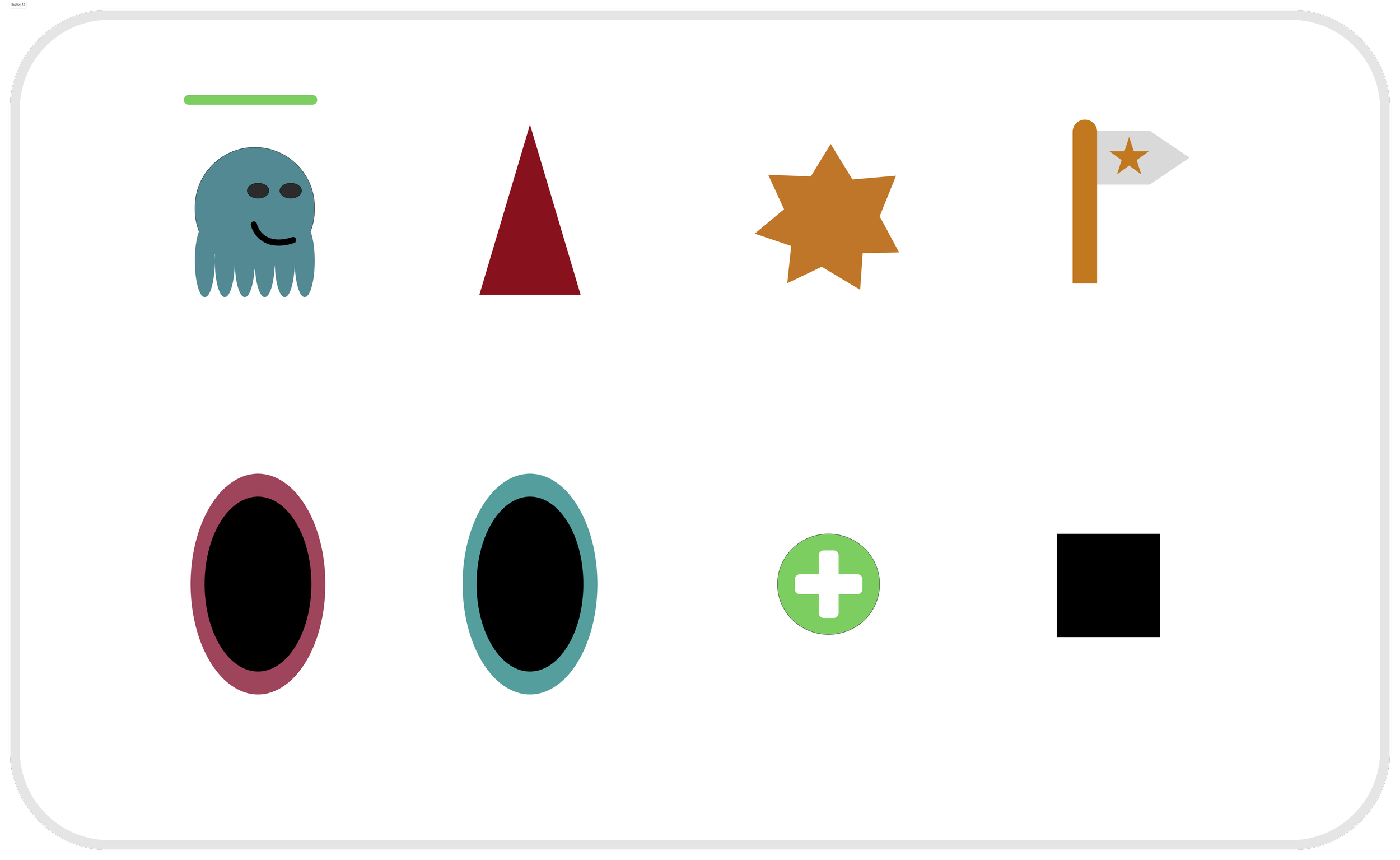
The elements were designed in Figma
Game Elements
Obsticles
Moving Platforms
Moving Platform
Hitting the wall turns the ghost around
Transportation Portal
But you never know how far you end up
Falling off restarts the level
Level Design
Players start in an easy section with no hazards at all, just basic jumping and movement, so the controls feel natural before anything is on the line. From there, difficulty increases gradually rather than spiking: moving platforms are introduced before they're combined with gaps, and hazards like the transportation portals, where the exact landing point is intentionally unpredictable, are placed only once the player has already built confidence with the core movement.
Failure was also designed to stay low-friction. Falling off a platform restarts the level immediately rather than punishing the player with long reload times or setbacks, keeping the loop of "try, fail, immediately try again" fast enough that mistakes feel like part of the fun rather than a reason to stop playing.
Maze
A browser-based maze game where the player guides a ball to the exit using nothing but the tilt of their phone. Built with p5.js, this was my very first programming project and it was the project that made me want to keep going.
Game Design · Interaction Design · JavaScript · p5.js · Device Sensors
The Concept
The goal was is to guide a ball through a maze by physically tilting your phone, without touching any walls. Hit a wall, and the ball snaps back to the start with a failure sound. Reach the exit, and the ball freezes in place with a satisfying clap. No screen taps, no buttons beyond a one-time permission request — just the phone's own motion sensors mapped directly onto the ball's movement.
I built it entirely alone, with zero prior programming experience, specifically because I wanted something my friends and family could play rather than just watch. People challenged each other on it, played it multiple times in a row.
Design Process
The first version used arrow keys to move the ball. It worked, but it wasn't fun. With precise directional control, avoiding obstacles felt trivial. Switching to tilt-based movement, driven by the phone's orientation sensors, changed the entire feel of the game: suddenly the input itself was imprecise and physical, which made every corner of the maze something you had to actually feel your way around. I added a sensitivity multiplier so the difficulty could be tuned by adjusting how dramatically a tilt translated into movement.
The hardest problem was collision detection. My first instinct was to check the ball's position against every wall segment individually, but that meant repeating the same logic over and over for each line in the maze. With help from someone with more JavaScript experience, I restructured the maze as a list of line coordinates and wrote a single collision function that calculates the closest point on any given line to the ball's center and checks the distance against the ball's radius. One function, applied to every wall in the maze, instead of dozens of near-duplicate checks.
Getting the phone's motion sensors working at all was its own struggle. iOS requires explicit user permission before an app can access device orientation data, and I spent a while hunting for a settings-based workaround before landing on the right solution: a "Start" button that explicitly requests motion and audio permission on tap. It's a small UI element, but it's the reason the whole interaction is possible on a real phone rather than just in a desktop simulation.

Reflection
This was the first thing I ever coded, and I built it completely on my own, every decision, every bug, every fix was mine to work through. I'd originally wanted to work in a group specifically because I doubted my own ability, but working solo turned out to be the better choice: I had to actually solve every problem myself instead of relying on a more experienced teammate, which taught me far more than a smoother group process would have.
I also treated it like a real design process rather than a one-shot build. I ran informal playtests with friends and family throughout development, and used their reactions to push the difficulty further, the tilt sensitivity, the wall collision behavior, and the overall challenge level were all shaped by watching real people try to beat it.